Case study · Backend Microservice
Auth Service
One service for sign-in, so my apps don't each get security wrong their own way
A standalone authentication service — sign-up and login, GitHub and Google sign-in, roles, email verification and password reset — that other apps can hand all of that to. Building it taught me the most about the parts that look finished but aren't.
- Role
- Solo project: API design, security, tests and deployment
- When
- 2026
- Stack
- FastAPI
- PostgreSQL
- Redis
- JWT
- OAuth2
- Docker
- pytest
- structlog
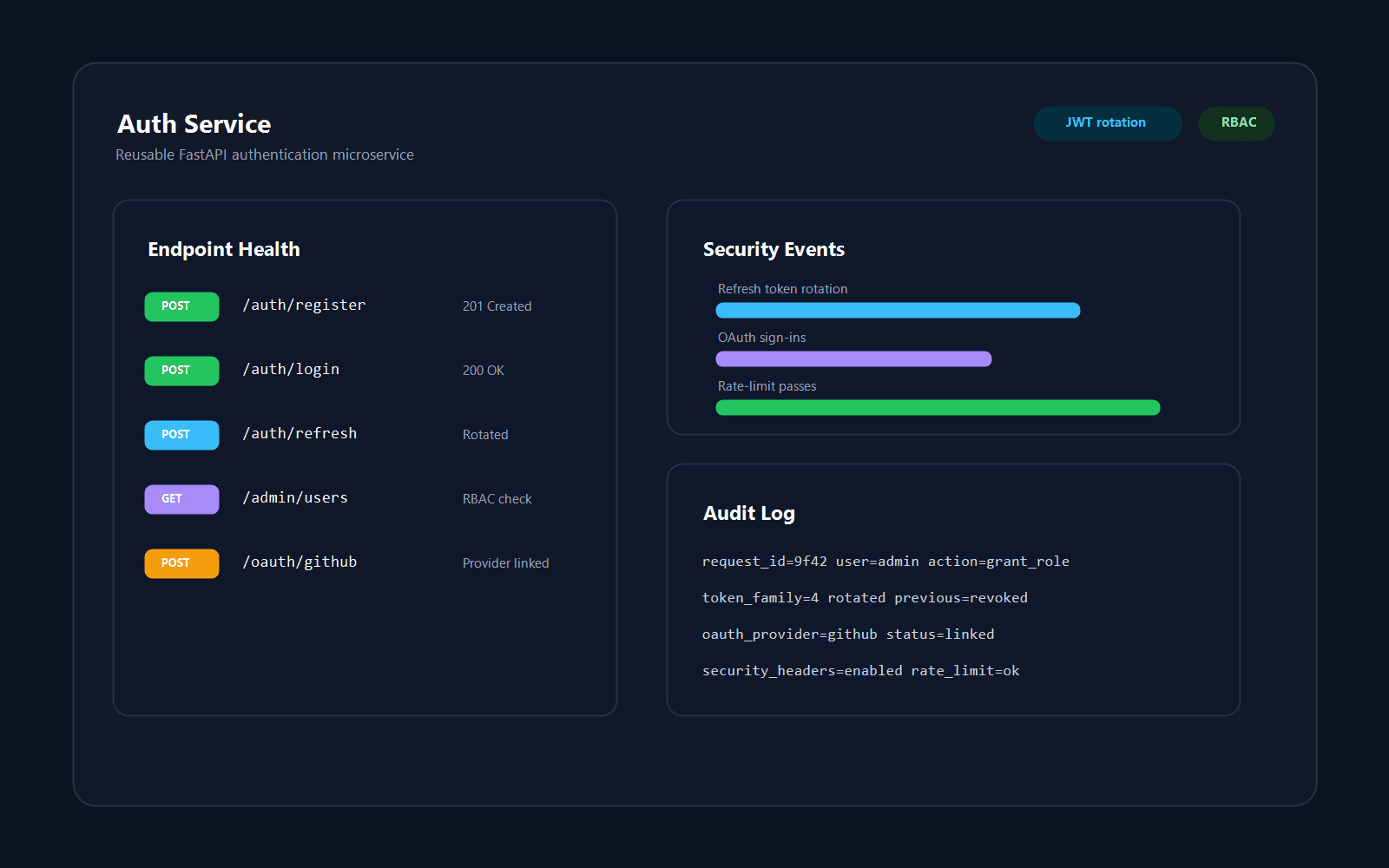
01.The problem
Every app I'd built had its own login code, each slightly different and each one more place for a security bug. I wanted a single service that owns passwords, tokens and OAuth, so an app only has to ask one question: is this token valid, and whose is it?
That question is GET /auth/validate. Everything else — how tokens are issued, rotated, revoked and rate-limited — lives in one place where it can be tested properly.
02.Key decisions
01Short-lived access tokens, rotating refresh tokens
Access tokens are JWTs that expire after 15 minutes. Refresh tokens are random strings stored only as SHA-256 hashes, so a copy of the database doesn't hand out sessions. Each refresh revokes the old token and issues a new pair, and a password reset revokes every session the user has.
Trade-off: Short access tokens keep a stolen token from being worth much, but apps refresh often, so refreshing has to be fast and dependable.
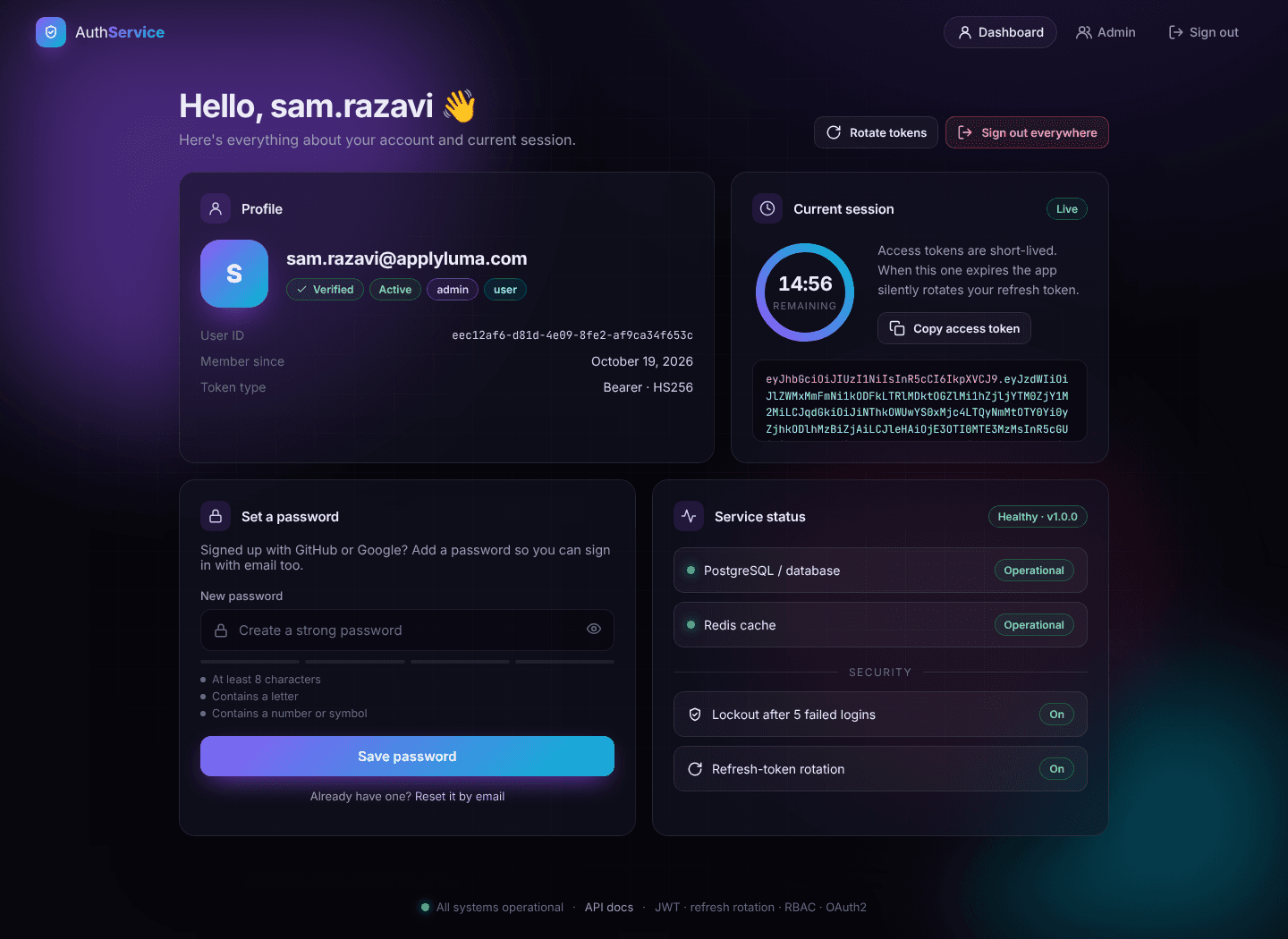
The dashboard of the built-in web UI: roles, a live countdown on the 15-minute access token, token rotation and the health of the database and Redis. 02Redis for everything that should expire
Anything with a lifetime lives in Redis with an expiry: the failed-login counter (five failures lock the account for 15 minutes), per-IP rate limits on login, sign-up and password reset, single-use state tokens that protect the GitHub and Google sign-in against CSRF, and a blacklist for access tokens revoked before they expire.
03Don't make it easy to find out who has an account
Forgot-password and resend-verification answer the same way whether or not the email exists, and a failed login says “incorrect email or password” either way. Reset and verification tokens are stored hashed and work exactly once.
Trade-off: Sign-up still says when an email is already registered: the usual compromise between privacy and a clear error message.
04Roles as a dependency, not scattered checks
Users have roles (admin, moderator, user), seeded by a migration. A route declares the role it needs with a require_role() dependency, so the check sits next to the route instead of inside it. Admins manage users and roles through the API, and the small web UI that ships with the service has an admin screen on top of it.
The service is also observable from the start: every response has an X-Request-ID that's bound to the structured logs, key actions write audit events, rate-limited responses say when to retry, and /health checks PostgreSQL and Redis and returns 503 if either is down.
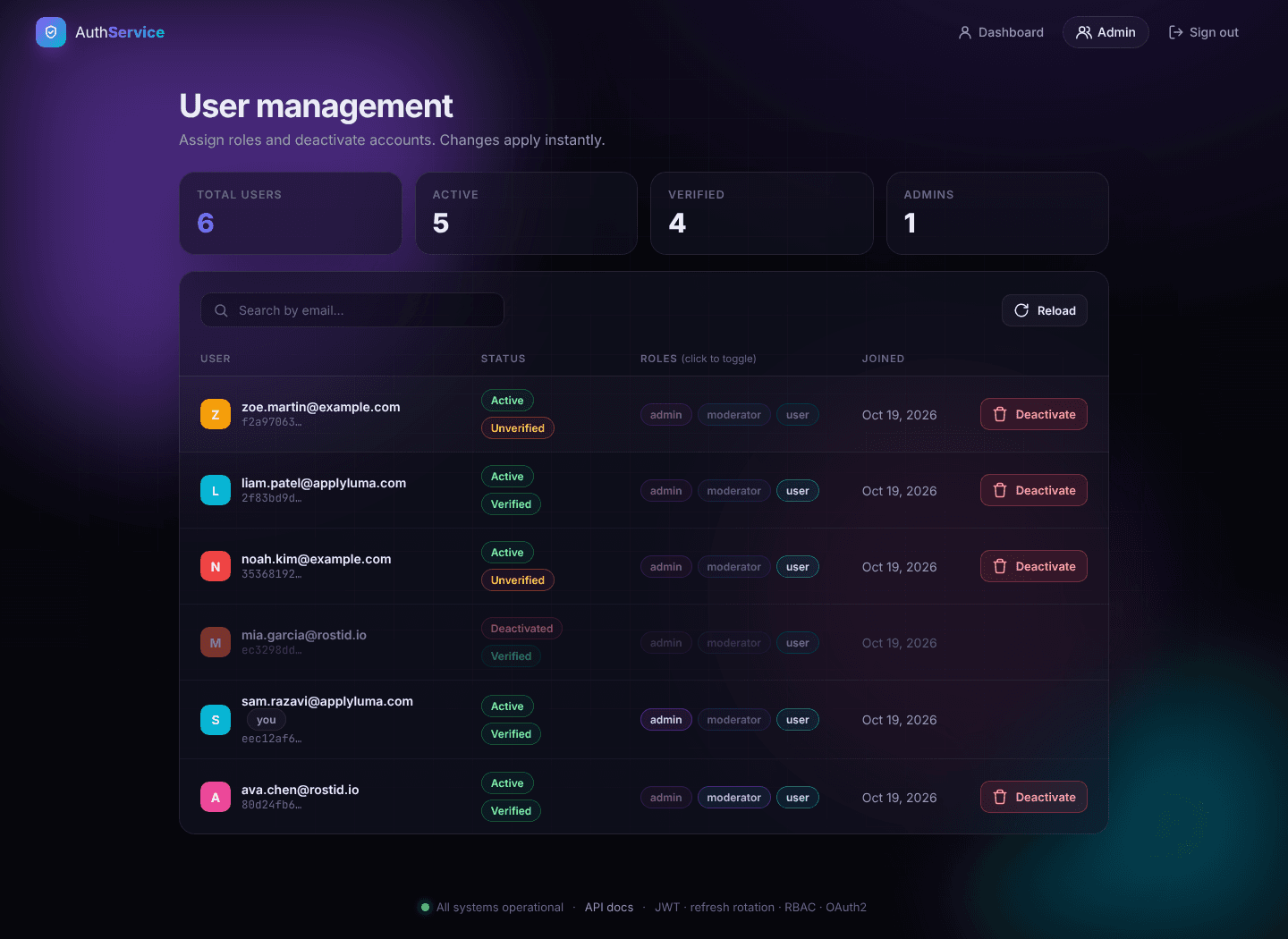
The admin screen, for admins only: search users, toggle roles and deactivate accounts.
03.Results
- 75 tests and a 70% coverage gate in CI, plus a Docker image built on every push
- Deployed on Railway with PostgreSQL and Redis, with a dependency-free web UI for trying every flow
- For an app, integrating is two calls: validate a token and refresh a token
04.What I'd do differently
Test against the same database as production
Tests run on in-memory SQLite because it's fast. The first deploy to real PostgreSQL failed: the migration that seeds the default roles inserted text into a UUID column, which SQLite quietly accepts. In DeskFlow I tested on PostgreSQL from the start, and I would here too.
Sign tokens with a key pair
Tokens are signed with a shared secret (HS256), so other apps can't check a token themselves: every request costs a round trip to /auth/validate. Signing with a private key (RS256) and publishing the public key would let apps verify tokens locally and only call the service to refresh.
Treat a reused refresh token as an attack
A refresh token that has already been used is rejected, but that doesn't end the rest of the session, which is the standard defence when a token is stolen. Likewise, “sign out everywhere” revokes every refresh token but only cuts off the current device's access token right away; other devices keep working until theirs expires, up to 15 minutes later. A per-user “valid after” timestamp would end them at once.
Move a real app onto it
It was built for ApplyLuma and Rostid, but both still use their own login code. Moving one of them over is the real test of the API, and the next step.